
How BadgeFlow Works
Create, award, and share digital badges in minutes with a simple three-step flow.
Step 1
Create a Badge
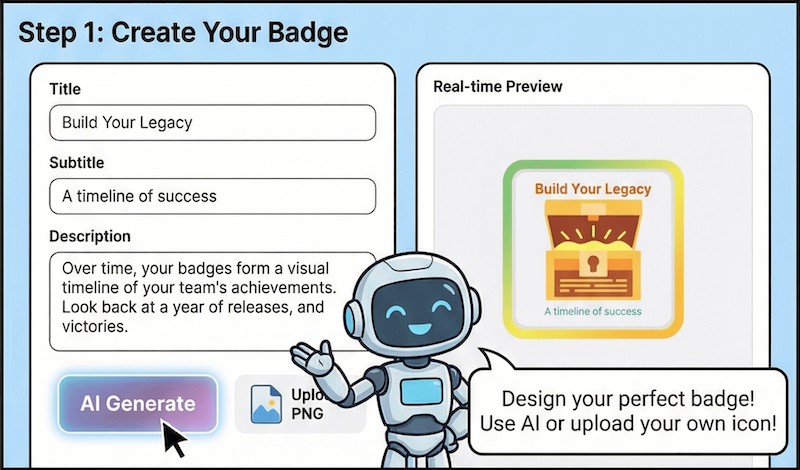
Design your badge by filling in the title, subtitle, and description. Choose an AI-generated icon or upload your own artwork to match the moment.
Mix templates and icon styles until the badge feels just right.
Step 2
Add Recipients
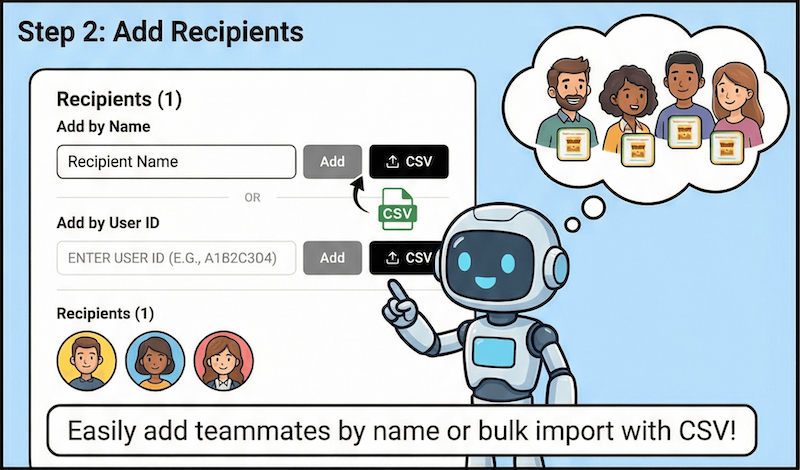
Add recipients by name or user ID. Enter them manually one by one, or import a CSV to award badges to a full list at once.
Bulk imports make it easy to recognize entire teams or cohorts.
Step 3
Share Badges
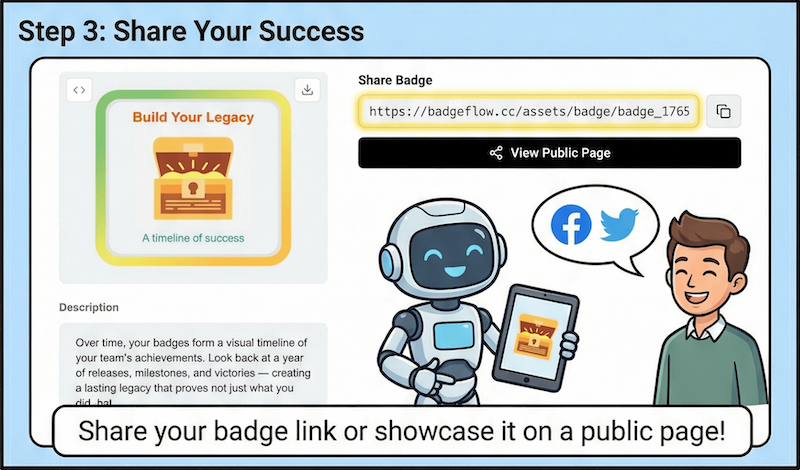
Share badges through public links, embed them in your HTML pages, or send recipients to the public badge page for full details.
Every badge stays verifiable and easy to access anywhere.
Ready to make your first badge?
Start with an AI icon or bring your own brand assets.